

Most ways of cooling a laptop come with a catch. They need power, they make noise, or they ask you to carry something extra. Chillplate takes a different approach: no power, no battery, no fan, no noise. Here’s what that means and why it matters for a MacBook Air.
The MacBook Air’s Superpower Is Silence
The MacBook Air has no fan. It’s quiet in a library, in a meeting, or in bed at midnight, and for many people that silence is the whole point of buying an Air.
The tradeoff is thermal throttling. With no fan to push heat out, the chip slows itself down when it gets too warm, usually just when you’re exporting a video, compiling code, or running something demanding. The chip isn’t the bottleneck here. Heat is.
How Active Coolers Try to Solve It
Most add-on cooling products for laptops are active, meaning they use electricity to move heat or air. Common examples:
- Clip-on or stick-on fans. These need power and add noise, which undoes the main advantage of an Air.
- Cooling stands and pads with fans. They’re bulky, they stay on your desk, and they need a USB port or a power source.
- Thermoelectric (Peltier) coolers. They draw a lot of power and can add heat of their own.
- Battery-powered coolers. They add one more thing to charge, and they add weight.
Many of these also take power from your MacBook. A cooler that drains the laptop’s battery to keep the laptop cool is working against itself.
The Passive Approach: Just Move the Heat
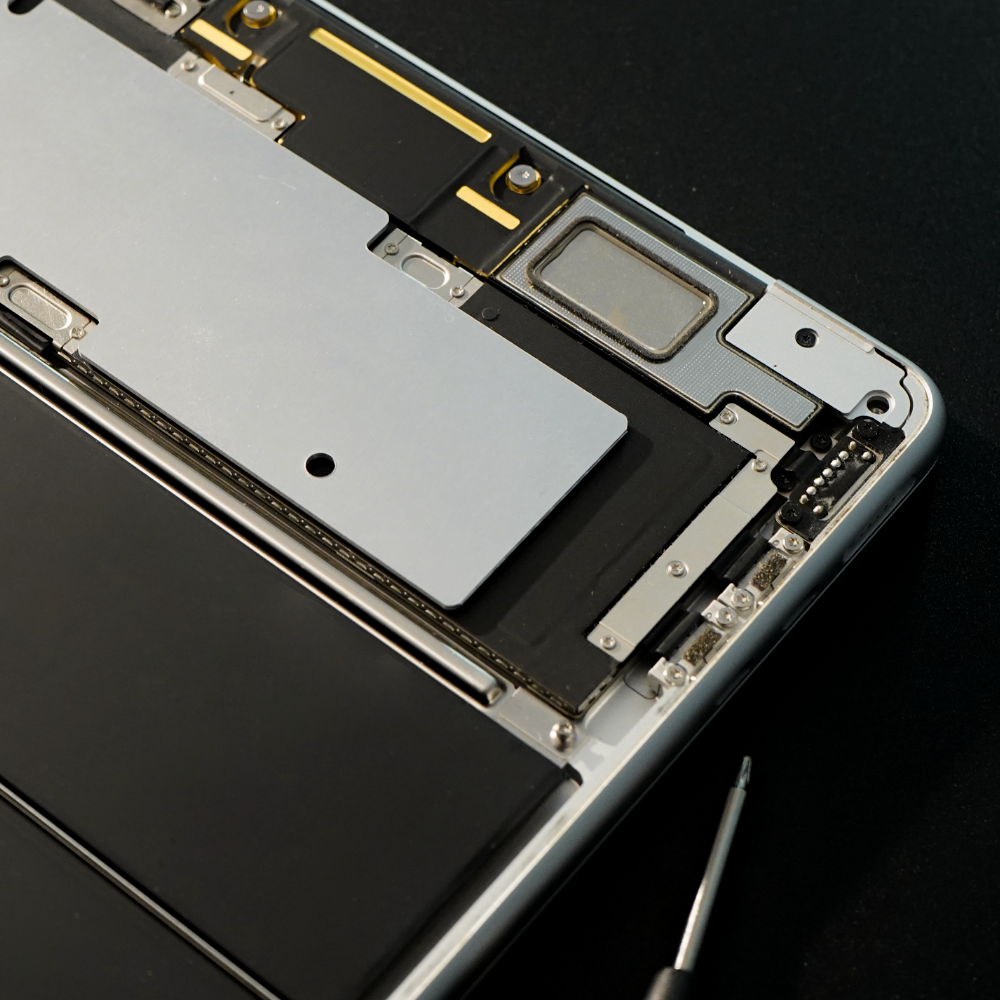
Chillplate does the job without moving parts or electronics. It’s a precision-cut aluminum heat spreader that takes heat from hot spots and spreads it over a larger surface area, so the heat dissipates more evenly through the aluminum chassis instead of staying concentrated near the chip.
That’s pure thermal conduction. There’s nothing to plug in, charge, or switch on, and nothing that can wear out or break, because it has no mechanical parts.
Built to Fit Inside Your MacBook Air
Chillplate sits between the motherboard and the bottom case (the “D-shell”) of your MacBook Air. That means:
- No external hardware. There’s nothing on your desk, in your bag, or hanging off a port.
- No power draw. It doesn’t use your MacBook’s battery or its ports.
- No design changes. Your MacBook looks and feels the same from the outside.
- No noise. Your Air stays as silent as the day you bought it.
It also adds very little weight. Chillplate weighs about 90 g, a small amount of mass for an aluminum plate, so your MacBook Air stays easy to carry.
Passive vs. Active at a Glance
| Active coolers | Chillplate | |
|---|---|---|
| Needs power | Yes | No |
| Needs a battery | Often | No |
| Draws from your Mac | Often | No |
| Makes noise | Usually | None |
| Extra gear to carry | Yes | No |
| Moving parts | Yes | None |
| Weight | Varies | ~90 g |
Who It’s For
Chillplate is for MacBook Air owners who value what makes the Air special, a silent and lightweight machine, but who also want it to hold its performance when the workload gets heavy. If you edit video, write code, game, or just keep a lot of apps open, a cooler running Air is a better Air.
Final Thoughts
You shouldn’t have to choose between a quiet laptop and a cool one. Chillplate keeps what you love about the MacBook Air and doesn’t add a fan, a battery, or a cable.
Learn more and see supported models (13″ and 15″, M2–M5) at chillplate.store.